5 min read
Automate your Microsoft data warehouse with Azure Data Factory and TimeXtender

Read this blog to learn more about how you can automate your Microsoft data warehouse with TimeXtender and Azure Data Factory. Discover how TimeXtender and Data Factory work together, what the misconceptions about Data Factory are, and find out in which situations you can make the best use of it. Finally, we explain what we believe the ideal data platform looks like.
What is Azure Data Factory?
Azure Data Factory is a scalable way to build 'data pipelines' in Azure that can be used to transport data from on-premises to Azure, or within Azure between different databases or other infrastructure components. Because Azure Data Factory is a serverless service, it's able to spin up resources on demand to run your data pipelines. Ultimately, this means you only pay for what you use, instead of for having a server available.
What is TimeXtender?
TimeXtender is a low-code data management platform that lets you develop up to 70% faster and save up to 80% on management, because it automatically generates (ETL) script and documentation. With it, you develop and maintain a future-proof data warehouse (for example in Azure) that any developer can easily work with.
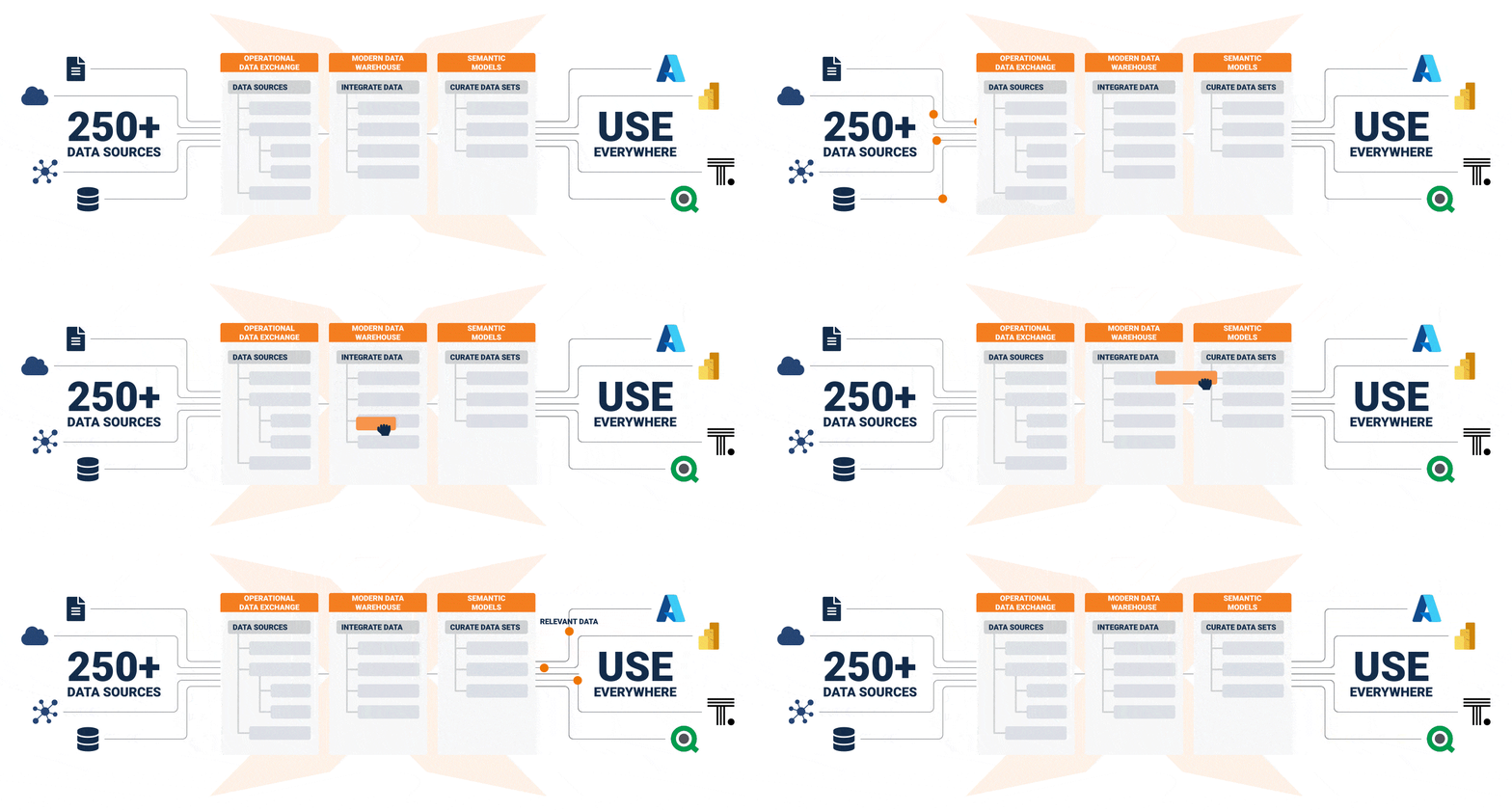
How do I automate my Microsoft data warehouse with TimeXtender?
TimeXtender orchestrates your entire data platform, which also makes it possible to let your platform's infrastructure grow along with you. You can start with a small number of sources and limited data based on a virtual machine for TimeXtender with an Azure SQL DB for your data warehouse. You can later expand this by, for example, growing into a Hyperscale database with Azure Data Lake and Azure Data Factory. Ultimately, TimeXtender takes care of setting up all the transports and code in Azure or on-premises, which means you can, for instance, still monitor your Azure Data Factory pipelines in the usual way. The beauty of it is that you tell TimeXtender what needs to happen, and TimeXtender then determines how that can best be done.
Misconceptions about Data Factory
“'I have Data Factory so I don't need TimeXtender…'”
Of course you can also implement your data platform without TimeXtender, but then you naturally need to configure all the infrastructure yourself and write all the necessary code. Although Azure Data Factory can be used via a visual interface, you'll quickly find that setting up and managing pipelines becomes unwieldy fast. Generally, this often means you get overtaken by the technical possibilities and the demands of the business. This also means that a change in infrastructure can require a substantial rewrite of code, making it less attractive to change. Usually you then reach for other tools to automate Azure Data Factory, and before you know it you've built a multitude of tools and dependencies into your project. On top of that, setting this up and continuing to manage it by hand can require a lot of detailed knowledge.
When do you use Data Factory with Azure and TimeXtender?
When we implement TimeXtender for clients who (want to) use Azure, there are a number of scenarios where Azure Data Factory is a natural fit:
- Many source systems: it's often more efficient to use Azure Data Factory than to scale up your virtual machines and databases to enable many parallel load streams.
- Large volumes of data: as your data volume grows, you reach a point where Azure Data Lake is a better place to land your data. In that case, Azure Data Factory is the most efficient way to move data from source to Lake.
- Data in an Azure Data Lake: when you land your data in a Lake, you'll also want to move data to databases for transformation and presentation. This transport is most efficient via Azure Data Factory.
Of course, there are also scenarios where Azure Data Factory is not, or less, necessary. A deployment where Azure Synapse Analytics forms the core of your data platform, for example. Synapse can bring data from an Azure Data Lake into Synapse more efficiently via PolyBase, so then Azure Data Factory is only necessary for the transport from source to Lake.
The ideal data platform
By using TimeXtender to automate a data platform in Azure, you have a flexible infrastructure that can grow along with the needs of the business. Experiments with Advanced Analytics and Machine Learning can be supported, and the associated infrastructure can be spun down again once such a project is over. By then deploying Power BI as the BI front-end, you have a platform that's recognizable to many users and fully integrated with everything else. In our view, this is the ideal combination for a successful data platform. Want to read more about this combination? Check out this blog about e-mergo's golden triangle.
Want to know more about TimeXtender? See the platform in action during one of our monthly live demos via Microsoft Teams, or check out one of our other resources.
Written by Ruairidh Smith,
Senior consultant at E-mergo